Account & Data Deletion
Find simple step-by-step instructions on how to permanently delete your user profile, linked businesses, and billing databases, along with conflict rules.
Crucial Deletion Policy
PSquare operates on a strict Hard Delete Policy. Once your deletion request is completed, all associated user credentials, business logs, registries, and billing configurations are permanently purged. This action is irreversible.
🔒 Security note: In compliance with tax laws, linked invoice history might persist on partner audits.Open App & Log In
Launch the PSquare Billing mobile application or open the web dashboard. Enter your authorized operator credentials to access your master dashboard and select the business account context you wish to manage.
Navigate to Profile Page
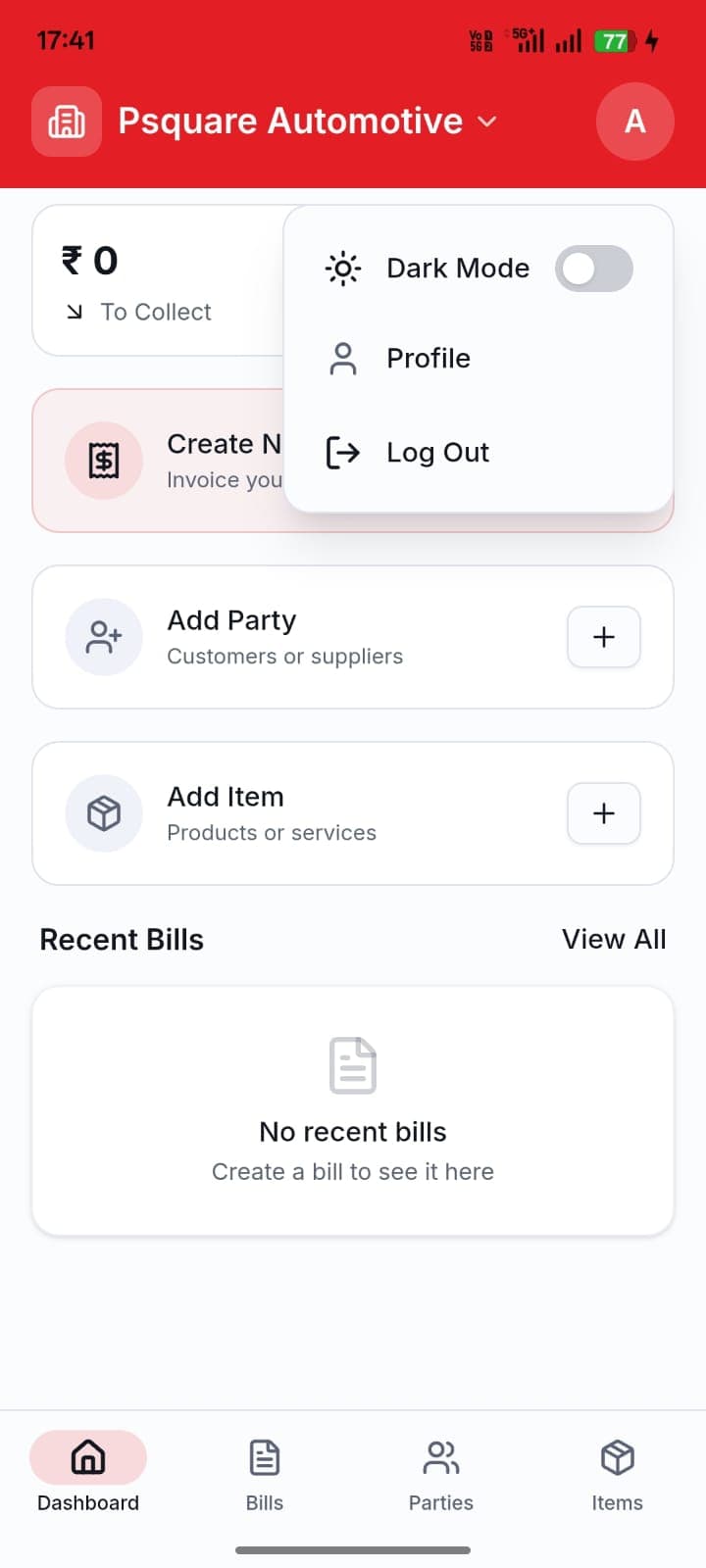
Locate the profile circular icon in the top right corner of the dashboard screen. Click on the icon and select "Profile" from the dropdown list. Your personal User Profile screen will open.
Initiate & Confirm Deletion
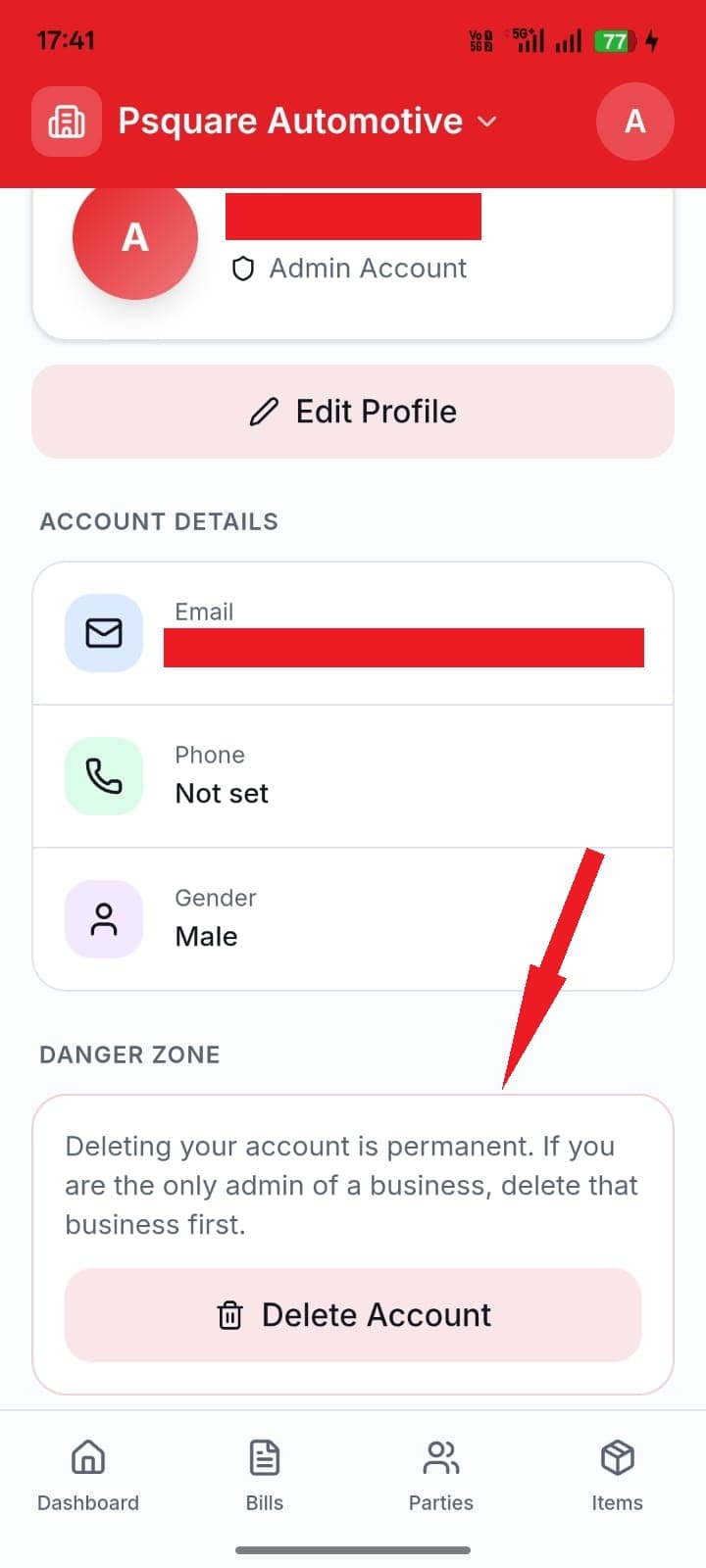
Scroll to the absolute bottom of the User Profile page and click on the "Delete Account" button. An overlay drawer will slide open.
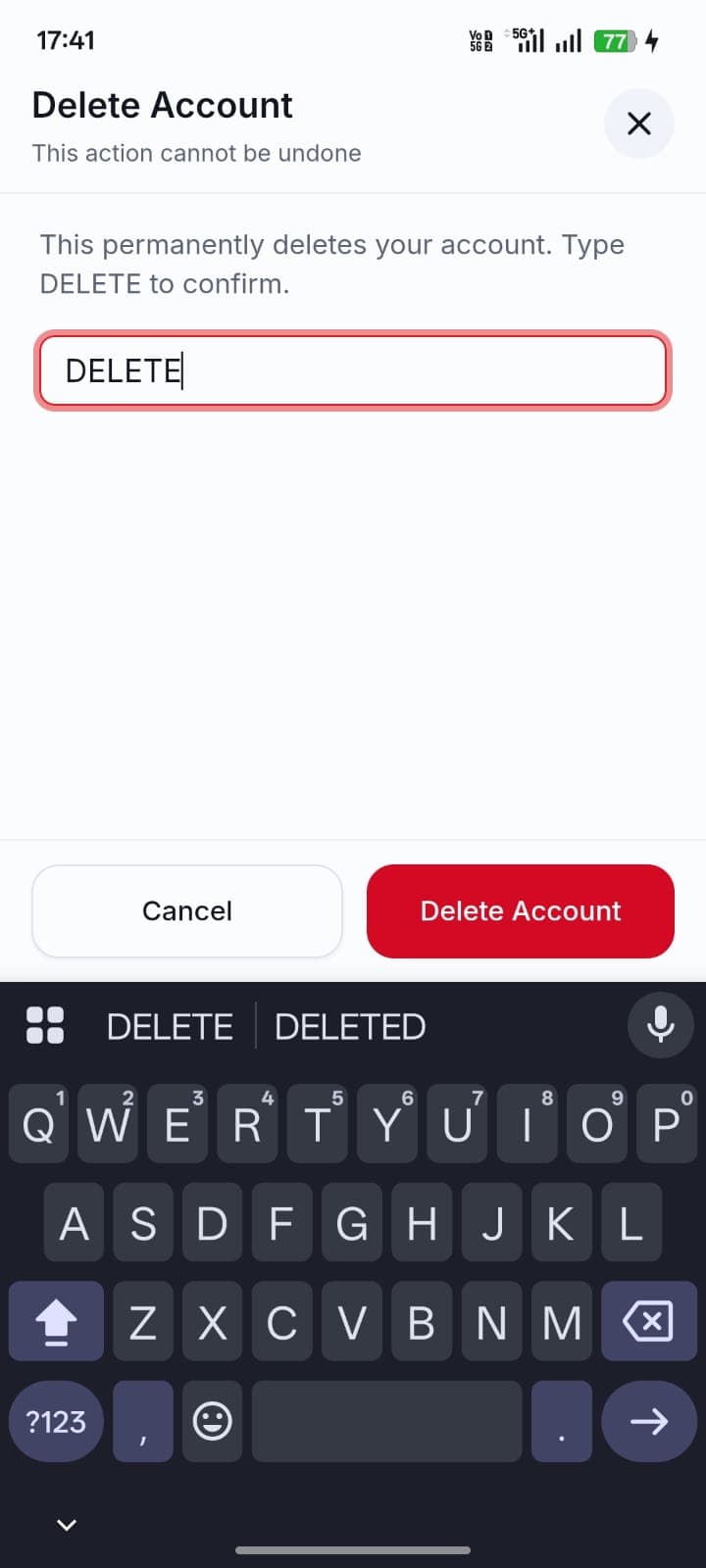
To prevent accidental data loss, you must manually type the confirmation string DELETE in the text area and click on the final deletion trigger.